Remembrance
How to Create an Online Memorial for a Loved One
Bring a life story, photographs and personal memories together, one thoughtful step at a time.
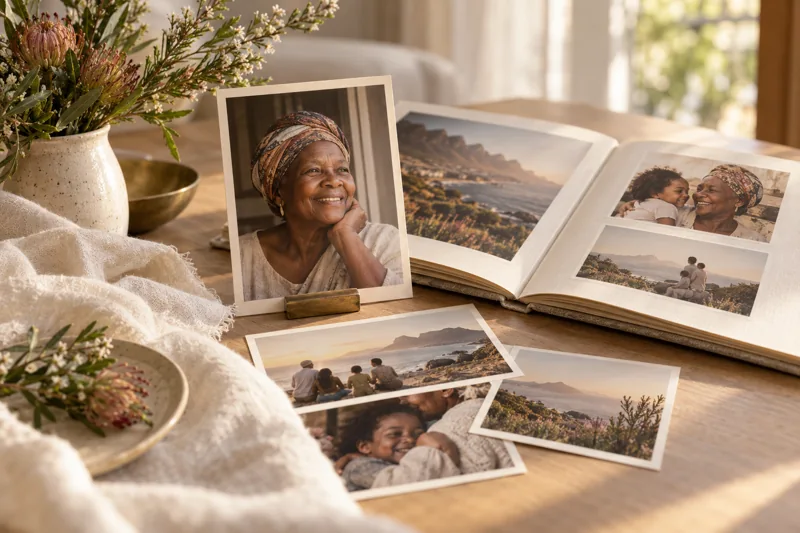
You might begin with one photograph: a parent smiling at a family gathering, a friend on an ordinary afternoon, a grandparent in the garden they loved. An online memorial gives that photograph some company—a life story, a few memories and the words people want to keep.
You do not need a complete family archive to begin. This guide takes you through the decisions and preparation that make a memorial personal, accurate and comfortable to share.
What is an online memorial?
An online memorial is a web page dedicated to someone who has died. Depending on the platform, it may bring together a biography, photographs, messages and service information.
Its purpose is different from a short death announcement. The announcement shares the news. A memorial gives people somewhere to read more about the person and remember them in their own time.
Families living between places such as Mthatha, Gqeberha, Johannesburg and London may find a shared page useful. It can provide a common point of reference without requiring every relative to attend the same gathering.
You can explore Soulbridge’s digital memorial concept and its fictional memorial example before choosing how to tell your loved one’s story.
1. Agree who will prepare and approve the memorial
Choose one person to coordinate the material and identify who should approve it before sharing. This is a practical organising role, not a reason to exclude other relatives.
Agree which stories, photographs and personal details the family wants included. Where opinions differ, keep the first version modest. You can preserve a sensitive story within the family without publishing it online.
Ask contributors to send material to the coordinator rather than sharing an account password. Use individual contributor permissions only where the platform provides and explains them.
2. Gather the essentials
Create a small folder containing:
- The person’s full name and preferred name.
- Dates the family has checked and wishes to publish.
- One clear portrait, with permission to use it.
- A short life story or obituary.
- Three to six photographs with names, approximate dates and context where known.
- Confirmed service details, if the memorial will include them.
- A list of relatives who should review the draft.
Keep a separate copy of everything you upload. Do not rely on a memorial platform as the only place where family photographs or writing are stored.
If the biography is the difficult part, start with our obituary templates.
3. Check the platform before uploading
Before creating an account or selecting a package, check what the current service actually includes. Look for clear information about the price, access period, supported media, storage limits, editing rights and what happens if a subscription ends.
Also ask:
- Can you preview the page before sharing it?
- Who can see it, and how is access controlled?
- Are visitors able to contribute? If so, who approves their messages?
- Can the family save or export its material?
- Who provides support if an account holder becomes unavailable?
Do not assume that “private” means invitation-only, or that “lasting” means permanent hosting. Choose settings and terms that match your family’s needs.
For Soulbridge, begin through the application. Check the options and terms shown there before deciding what to upload or purchase.
4. Write a short opening message
Start with something recognisable. A few honest sentences are more useful than a paragraph of grand statements that could describe anyone.
Illustrative text for a fictional family:
Mama Nomsa loved a full table, a good story and hearing that everyone had arrived home safely. She could be firm in her advice and generous in her care. This remembrance brings together some of the moments that show how we knew and loved her.
You might mention their humour, work, faith, friendships, favourite place or an ordinary habit the family remembers. Include religious wording only if it reflects the person and the family’s wishes.
5. Choose photographs with a story
Select photographs that show different parts of the person’s life rather than several almost identical portraits. Add a short caption where the platform supports one, or keep the context in your source document.
For example: “At her sister’s home in Butterworth, around 1998. The family remembers this as the year of the big reunion.” If the year is uncertain, say “around” rather than inventing a precise date.
Check with people who appear in photographs, especially before publishing images of children. Keep identification documents, medical records and private correspondence out of a public memorial.
If you want to include video or audio, first confirm that the chosen service supports the format and that you have permission to share the recording. Do not assume every platform accepts voice notes or long videos.
6. Ask for memories people can answer
“Send us something about Mom” can feel like a large request. A specific question is easier:
- What was something she always said?
- Which ordinary moment do you remember most clearly?
- What did she teach you?
- Do you have a photograph with a story behind it?
If the memorial accepts contributions, explain the process. Otherwise, collect memories through an agreed family channel and let the coordinator prepare the approved material.
Our tribute examples can help someone who wants to contribute but does not know how to begin.
7. Keep service information clear
Only add arrangements that have been confirmed. Distinguish the arrival time from the service start, identify the venue and state “SAST” where relatives abroad will be reading.
If you provide a map link, open it on a phone and check that the pin matches the entrance guests should use. Share private household addresses directly where appropriate.
Use our funeral programme template to prepare the running order, and explore Soulbridge’s digital order-of-service example. A digital programme is a guide to the ceremony; it is not a livestream.
8. Review, then share
Read the page on a phone before sending the link widely. Check spelling, photographs, dates, links, visibility and any contribution permissions.
Ask a trusted relative to open the link while signed out. That check helps you understand what other people will actually see. Resolve any unexpected visibility before sharing.
Then send a short message:
We have prepared a remembrance page for [name]. It contains the life story and photographs the family has chosen to share. Please read it here: [approved memorial link].
If you would like to contribute a memory, please [give the confirmed contribution instructions].
More wording is available in our WhatsApp sharing guide.
Begin with what matters
A memorial does not need to capture an entire life in its first version. A checked name, a carefully chosen photograph and a memory told in familiar words are a meaningful beginning.
Create a place for their story.
Frequently asked questions
Can we prepare a memorial before the funeral?
Yes. You can gather and write the material before the service. Add arrangements only when they are confirmed and the family has agreed to share them.
Does everyone need an account to read or contribute?
That depends on the platform and the memorial’s settings. Test the intended reading and contribution journeys before inviting relatives.
Can a memorial be kept private?
Choose a service whose access controls meet your needs and test those controls. A page that is absent from search results is not necessarily restricted to invited people.
Will the memorial stay online forever?
Do not assume so. Check the service duration, renewal conditions and options for saving your material. Keep your own copies regardless of the platform chosen.
Thoughtful guidance for the words, details and memories that matter.